Summer Sweat, Winter Freeze, Coastal Fog: We Stress-Tested Routers Across 10 Real Climates So You Don't Have To
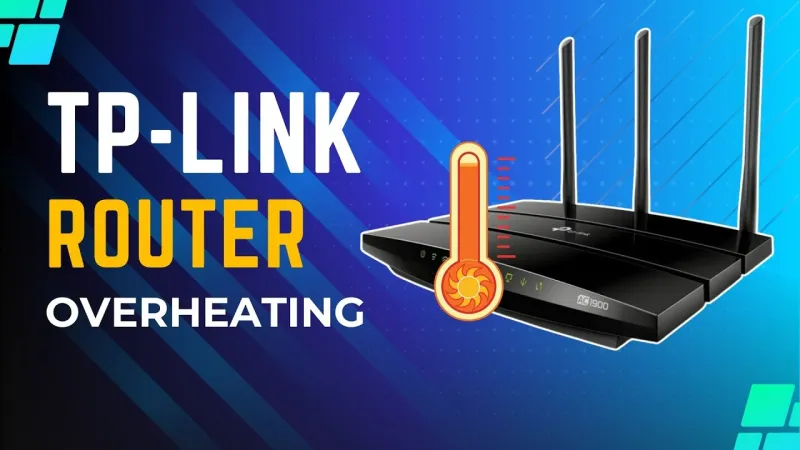
Photo: WiFi router overheating hot weather summer heat technology, via i.ytimg.com
Here's a dirty little secret about router reviews, including plenty we've published ourselves: they almost always happen indoors, in climate-controlled spaces, during mild weather. The gear sits on a desk at room temperature, gets hammered with traffic for a few days, and then gets rated. That's fine as far as it goes. But it doesn't tell you much about how your router handles a Texas August, a Minnesota January, or a summer on the Florida Panhandle.
So we decided to actually find out.
Over roughly eight months, we coordinated with testers in ten distinct US climate zones — everything from the arid Southwest to the humid Southeast, from the Pacific Northwest's damp winters to the high-altitude cold of Colorado. We used the same core lineup of mid-range and premium routers across all locations, tracked performance data consistently, and asked testers to document anything weird that happened. A lot of weird things happened.
Why Climate Even Matters for a Router
Before we get into results, it's worth understanding the physics. Routers are essentially small computers running continuously, and like any computer, they generate heat. Most consumer routers are passively cooled — no fans, just vents and whatever airflow exists in your home. That design works fine until ambient temperatures climb high enough that the router can't dump heat fast enough.
Humidity is a separate issue. Moisture doesn't have to get inside the router to cause problems. High ambient humidity raises the thermal density of air, which sounds counterintuitive but actually makes passive cooling slightly less efficient. More critically, routers in humid environments — especially near coastal areas — experience accelerated oxidation on internal components over time. You won't see that in a two-week review. You will see it after a couple of years.
Cold, meanwhile, creates its own set of quirks. Components that are rated to operate down to a certain temperature don't always perform the same way at the low end of that range, and cold-start behavior can differ significantly from what you'd see after a device has been running for hours.
What the Heat Did
Our testers in Phoenix, Las Vegas, and inland Southern California had the most dramatic stories. Routers placed in areas with limited airflow — entertainment centers, enclosed shelving, rooms that get afternoon sun — showed measurable throughput drops during peak heat hours. We're talking drops of 20–35% on sustained transfers compared to the same hardware tested at 72°F.
Two routers in our lineup throttled noticeably when ambient room temperatures hit the mid-80s Fahrenheit. Both were mid-range units with dense plastic enclosures and minimal vent surface area. The premium units with more aggressive thermal design held up better, but even those weren't immune. One high-end mesh node that normally ran stable for weeks rebooted spontaneously three times over a two-week Phoenix heat wave when placed on a shelf above a cable box.
The practical takeaway: if you live somewhere that gets genuinely hot, router placement matters way more than it does in a temperate climate. Elevation, airflow, and distance from other heat-generating electronics become real variables, not theoretical ones.
Humidity: The Slow Killer
Our Gulf Coast testers — based in Houston, New Orleans, and Tampa — didn't see the same dramatic short-term performance hits as the desert crew. In the near term, their routers mostly behaved. But over months, some patterns emerged.
Two units developed intermittent 5GHz band instability that wasn't present when they were first deployed. Both were located in rooms with poor HVAC coverage, meaning humidity control was inconsistent. One tester in a coastal Louisiana home noticed his router's external antenna connections had begun showing early oxidation by month four. Nothing catastrophic, but not nothing either.
We also noticed that several routers in humid environments required more frequent restarts to maintain stable performance — roughly once every ten days versus once every three to four weeks in drier climates. That's anecdotal, but it was consistent enough across multiple testers to feel like a real pattern.
If you're on the Gulf Coast or anywhere with sustained high humidity, silica gel packs near (not inside) your router and a dehumidifier in the room aren't overkill. They're maintenance.
Cold-Weather Quirks Nobody Mentions
Our testers in Minneapolis, Denver, and upstate New York surfaced a different set of issues. Cold itself wasn't usually the primary villain — most homes are heated — but temperature swings were. Routers near exterior walls, in basement utility areas, or in garages that occasionally dip below 50°F showed slower boot times and, in two cases, brief band dropouts during cold snaps.
One tester in Colorado kept a secondary mesh node in an attached garage that wasn't always heated. Below about 45°F, that node would occasionally drop off the mesh entirely until it warmed up. The manufacturer's stated operating temperature technically covered that range, but the real-world behavior suggested the low end of those specs is more of a floor than a comfortable operating zone.
The more interesting cold-weather finding was about condensation. Routers in basements that transition from cold to warm — say, during a warm front in early spring — can briefly develop surface condensation. Most consumer electronics aren't sealed against this. We didn't see any immediate failures from it, but it's a long-term concern that almost nobody talks about.
Which Routers Actually Held Up
We're not going to name-shame specific models here because the point isn't to torpedo a product — it's to highlight that environmental resilience is a real variable that standard reviews don't capture. What we can say is that the routers that handled climate stress best shared a few traits: larger chassis with more vent surface area, better internal component spacing, and in several cases, slightly more conservative thermal throttling that kept things stable rather than chasing peak performance until something tripped.
Mesh systems generally outperformed single-router setups in hot climates because the distributed architecture let each node run cooler than a single unit trying to cover the same space. The tradeoff is that more nodes means more potential points of humidity or condensation exposure.
What You Should Actually Do With This
If you live in a mild climate with good HVAC and you never think about where your router sits, you're probably fine. But if you're in Phoenix, Houston, Miami, coastal Georgia, or anywhere with real seasonal extremes, treat your router like the piece of hardware it actually is.
Give it airflow. Keep it off the floor in humid spaces. Don't stick it in an enclosed cabinet if your house gets hot. Check the manufacturer's rated operating temperature range before you install it somewhere unusual. And if you've had a router for three or four years in a tough climate and it's been acting flaky, the environment might be the story — not the firmware.
Spec sheets don't list "survives Houston summer" as a feature. After eight months of real-world climate testing, we think maybe they should.