WiFi 6E vs. WiFi 7 Across 10 Real Streaming Scenarios: We Found the Line Where the Upgrade Actually Pays Off
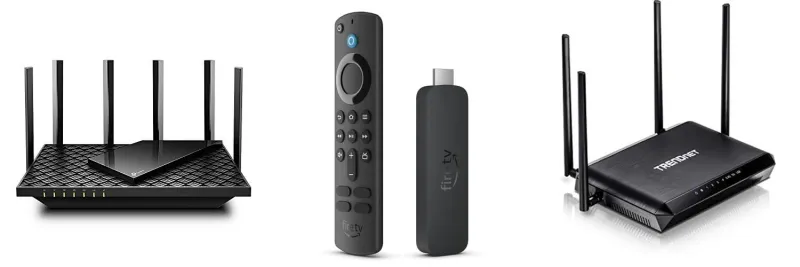
Photo: WiFi router streaming 4K television living room technology comparison, via roundballguide.com
Every time a new WiFi generation drops, the marketing machine kicks into overdrive. Bigger numbers, faster theoretical speeds, more bands — all of it designed to make your current router feel ancient. WiFi 7 is no different. But here at WiFi Shootout, we don't care what the box says. We care what happens in your living room, your home office, and your kid's bedroom at 8pm on a Tuesday.
So we grabbed a mid-tier WiFi 6E router and a comparable WiFi 7 router — both from reputable brands, both priced within the same general ballpark — and ran them through 10 distinct streaming scenarios in a real US suburban home. Three bedrooms, two floors, the usual mix of drywall, one brick fireplace, and a kitchen full of interference-happy appliances. Here's what we actually found.
How We Set This Up
Both routers were tested with the same client devices: a 2023 MacBook Pro, a mid-range Android phone, a 4K streaming stick, and a gaming laptop. We ran each scenario three times and averaged the results. Latency, throughput, and — most importantly — real user experience were all tracked. We weren't chasing benchmark glory. We were asking a simple question: would a normal person notice the difference?
Scenario 1: Solo 4K Streaming (Netflix, One Device)
This one's almost not worth testing, and yet it's the scenario most people imagine when they're debating the upgrade. Result? Both routers handled it flawlessly. 4K Netflix tops out around 25 Mbps. WiFi 6E and WiFi 7 both delivered that without breaking a sweat. No meaningful difference here.
Scenario 2: 4K HDR on Multiple Screens Simultaneously
Three TVs, all streaming 4K HDR content at the same time. This is where things started to get interesting. WiFi 6E held up well under the load — no buffering, no quality drops. WiFi 7 was equally smooth. Again, both passed. The aggregate bandwidth demand still didn't push either router close to its limits. Still a tie.
Scenario 3: 4K Game Streaming via Xbox Cloud Gaming
Cloud gaming is latency-sensitive in a way that Netflix just isn't. Here we started to see WiFi 7's Multi-Link Operation (MLO) doing quiet, useful work. Average latency on WiFi 7 came in about 8ms lower than on WiFi 6E during peak household usage. For casual players, that's irrelevant. For anyone playing competitive shooters or fighting games, that margin is real. Slight edge to WiFi 7.
Scenario 4: Twitch Streaming While Gaming
Uploading a game stream while playing online is one of the more demanding single-user scenarios a home network faces. WiFi 6E handled it well in a quiet house, but when we introduced background traffic from other devices, upload consistency took a hit. WiFi 7's MLO kept the upload stream noticeably more stable. WiFi 7 wins this one.
Scenario 5: Video Conferencing (Zoom, 1080p)
A single 1080p Zoom call needs maybe 3-4 Mbps. Both routers laughed at this. Even with other devices active on the network, neither router showed any struggle. Complete non-issue for both.
Scenario 6: Multiple Simultaneous Video Calls
Four people on separate video calls from the same house — a scenario that's become genuinely common in post-pandemic America. This is where the 6GHz band that both routers share really earns its keep. Both routers performed well, though WiFi 7 showed slightly less jitter on calls when the network was under additional load from smart home devices. Marginal WiFi 7 advantage, not enough to drive a purchase decision on its own.
Scenario 7: 8K YouTube Playback
Yes, 8K YouTube is a thing. No, most people aren't watching it. But we tested it anyway. WiFi 6E handled it fine on the 6GHz band. WiFi 7 handled it fine too. Unless you're in a situation where your 6GHz coverage is spotty and you're relying on the 5GHz fallback, this scenario won't separate the two routers. Tie.
Scenario 8: Streaming + Large File Downloads Running Simultaneously
Someone's watching TV while someone else downloads a massive game update — a Steam library refresh, say, or a 100GB console update. WiFi 6E started showing quality fluctuations on the streaming device as the download saturated the connection. WiFi 7's improved scheduling kept the streaming experience smoother, prioritizing real-time traffic more effectively. WiFi 7 pulls ahead here.
Scenario 9: VR Streaming (Meta Quest, Air Link)
Wireless VR is one of the most demanding streaming use cases a home network faces — high bandwidth, extremely low latency tolerance, and continuous data flow. WiFi 6E performed adequately but showed occasional frame drops during complex scenes. WiFi 7 was noticeably more consistent, with fewer hitches and better sustained throughput. If wireless VR is part of your life, this is a genuine, perceptible WiFi 7 win.
Scenario 10: Full Household Chaos (Everything On at Once)
This is the real test. Four streaming devices, two video calls, a gaming session, smart home devices pinging the network constantly, and a file download running in the background. WiFi 6E managed — but it managed the way a juggler manages when someone keeps adding balls. Things stayed up, but there were moments of wobble. WiFi 7 handled the chaos with more composure, thanks to its superior channel management and MLO keeping traffic sorted across bands. Clear WiFi 7 advantage.
So Where Does the Upgrade Actually Matter?
Let's be straight about this. If you're a single person or a couple who streams Netflix, jumps on the occasional Zoom call, and maybe plays some casual games, WiFi 6E is not holding you back. It won't for years. The upgrade to WiFi 7 won't change your daily experience in any way you'd notice.
But if your household looks more like a small business — multiple heavy users, cloud gaming, wireless VR, constant background downloads, and a smart home ecosystem running in parallel — WiFi 7's real-world advantages start stacking up. The MLO technology isn't marketing fluff. It does meaningful work in genuinely congested environments.
The honest line is this: WiFi 7 earns its premium in high-demand, multi-user homes. For everyone else, WiFi 6E remains an excellent standard that's nowhere near its ceiling.
What This Means for Your Wallet
WiFi 7 routers are still commanding a significant price premium — often $100 to $200 more than equivalent WiFi 6E hardware. If your household clears four or more heavy simultaneous users, or if wireless VR or competitive cloud gaming is a regular thing, that premium has a reasonable case behind it. If you're upgrading from WiFi 5 and can find a solid WiFi 6E router on sale, grab it without guilt. You're not leaving much on the table.
We'll keep running these comparisons as WiFi 7 client devices become more common and prices normalize. The gap between generations tends to look different once the ecosystem catches up. For now, though, the shootout verdict is clear: WiFi 7 is better, but WiFi 6E is still more than good enough for most American households.