47 Smart Home Devices, Two Routers, One Clear Winner: What We Learned After a Month of Connected Chaos
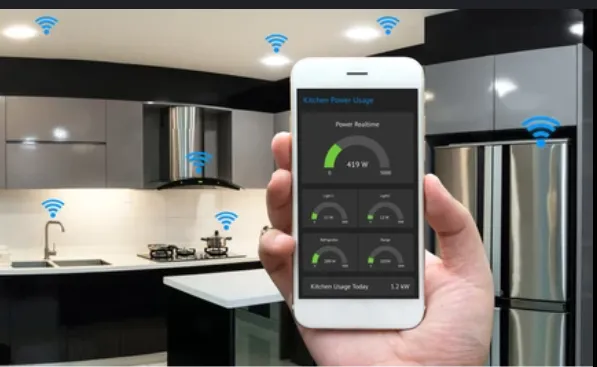
Photo: smart home devices connected to wifi router on kitchen counter, via smartifykitchen.com
Somewhere around device number 31 — a connected sous vide cooker that kept dropping off the network mid-cook — we started questioning our life choices. But that's the job. We spent a full month running 47 smart home devices simultaneously across two very different routers: a $60 budget option and a $350 premium model. The goal was simple. Find out which one could actually handle the demands of a modern smart home without making you want to throw your phone through a window.
Spoiler: the answer isn't as obvious as you'd think.
The Setup
We used a 2,400-square-foot single-story home in the suburbs of Columbus, Ohio. Nothing fancy, but representative of the kind of house where smart home gear tends to accumulate. The device list included:
- 8 smart plugs
- 6 indoor security cameras
- 2 video doorbells
- 4 smart bulb systems (multiple bulbs per hub)
- 3 voice assistants (two Amazon Echo devices, one Google Nest)
- 2 smart locks
- 1 smart thermostat
- 2 robot vacuums
- 1 smart refrigerator
- 1 connected washer/dryer combo
- 1 sous vide cooker
- Several smart TV sticks and streaming devices
- A handful of leak sensors, motion detectors, and contact sensors
We ran each router solo for two weeks, logging disconnect events, failed automations, and response latency using a combination of manufacturer apps, a home automation dashboard, and periodic manual checks. Both routers used the same ISP connection — a 500 Mbps cable plan — and were placed in the same central location.
The Budget Router's Surprisingly Decent Performance
The $60 router — a dual-band Wi-Fi 6 unit from a well-known brand — handled the basics better than we honestly expected. Lights turned on when asked. The thermostat held its schedule. Leak sensors and contact sensors, which barely use any bandwidth, didn't care one bit about the hardware underneath them.
Where things got shaky was when multiple bandwidth-hungry devices started competing. During a typical evening — streaming on two TVs, two cameras actively recording motion events, a robot vacuum mapping a new room, and someone asking Alexa to play music — we logged an average of 4.2 disconnect events per hour across the device pool. Most of those were cameras and the smart fridge struggling to maintain stable connections on the 2.4 GHz band, which was absolutely packed.
The budget router also had a notably limited client table. Once we pushed past 35 simultaneous active connections, we started seeing devices get rotated off the network. Smart plugs that hadn't been used in a few hours would take 8–12 seconds to respond when triggered. That's a long time to wait for a lamp.
Where the Premium Router Actually Earned Its Price Tag
The $350 tri-band Wi-Fi 6E router changed the picture in a few meaningful ways. The extra 6 GHz band gave bandwidth-hungry devices their own lane, and the router's more sophisticated band steering kept devices on appropriate frequencies without us having to manually intervene.
Disconnect events dropped to an average of 0.9 per hour — a roughly 78% reduction. Camera feeds were noticeably more consistent. The smart fridge stopped dropping off entirely. And perhaps most importantly, response latency on automations tightened up. Lights responded faster. Lock status updates came through in real time instead of with a 3–5 second delay.
The premium router also supported a dedicated IoT VLAN out of the box, which is a genuinely useful security feature. Keeping your smart plugs and cameras on a separate network segment from your laptops and phones is good practice, and having the router handle that without requiring a computer science degree was a real quality-of-life improvement.
What Actually Matters (And What Doesn't)
Here's the part that might save you some money. A lot of smart home devices — your sensors, your smart plugs, your basic bulb hubs — genuinely don't need a premium router. They're low-bandwidth, low-latency devices that will work fine on a capable budget option as long as the router can handle the client count.
What benefits most from premium hardware:
Security cameras. Especially if you have more than two or three. Continuous or motion-triggered recording creates sustained network load, and a congested 2.4 GHz band will make cameras the first thing to drop.
Smart appliances with cloud sync. Your connected washer, fridge, or oven is constantly pinging a remote server. Under load, a budget router deprioritizes these connections in ways that cause noticeable lag.
Mixed households. If you're also using the same router for gaming, video calls, and 4K streaming while your smart home runs in the background, the budget option will struggle. The premium router's QoS features made a real difference in keeping everything playable and watchable while the IoT layer did its thing.
What you can safely cheap out on: If your smart home is mostly lights, sensors, and a thermostat — and you're not pushing more than 20–25 devices — a solid budget Wi-Fi 6 router will probably serve you fine. Don't let the marketing convince you otherwise.
The Sous Vide Problem (And What Fixed It)
Back to that sous vide cooker. It kept dropping off the budget router's network because it was stubbornly glued to a weak 2.4 GHz channel that was being hammered by neighboring networks. The premium router's automatic channel selection moved it to a cleaner slice of spectrum and the problem disappeared. This is a small but illustrative example: a lot of smart home frustration isn't about bandwidth at all. It's about channel congestion and how intelligently the router manages it.
If you're experiencing flaky smart home behavior and you're on a budget router, try manually assigning your most problematic devices to a less-congested 2.4 GHz channel before you spend money on new hardware. It won't fix everything, but it fixed more than we expected.
The Verdict
For a small-to-medium smart home — say, under 25 devices, mostly sensors and lights — a good budget Wi-Fi 6 router gets the job done. For a larger, more complex setup with cameras, smart appliances, and simultaneous heavy use from people and devices alike, the premium router's client capacity, band management, and QoS features genuinely justify the price difference. The 78% drop in disconnect events isn't a rounding error. That's the difference between a smart home that feels seamless and one that feels like a part-time tech support job.
Choose accordingly.