Your Shiny New WiFi 7 Router Might Be Choking Your Smart Home — Here's Why
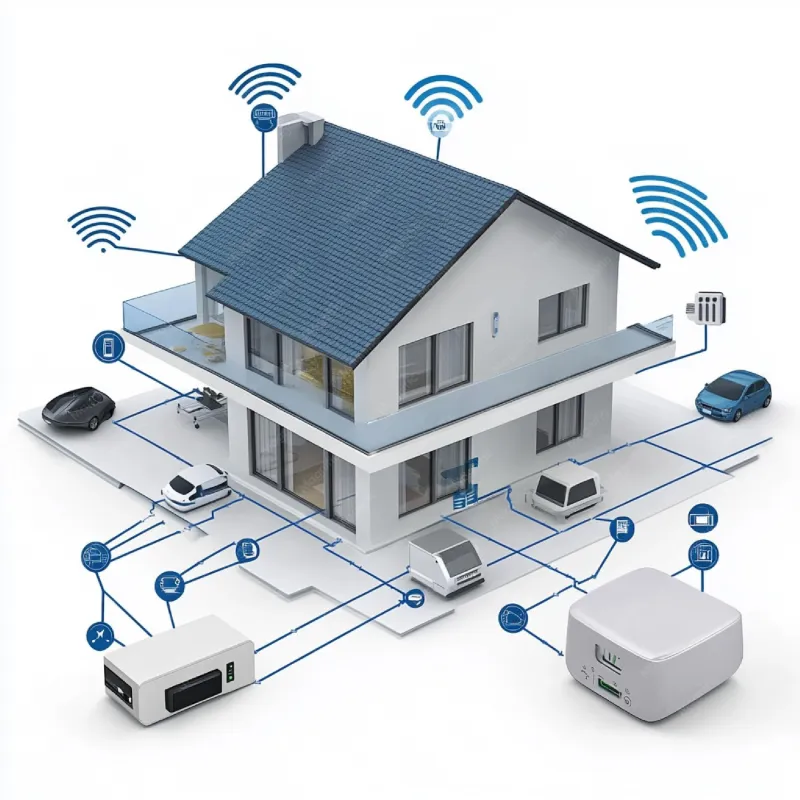
Photo: smart home router WiFi devices connected network hub, via img.freepik.com
There's a certain kind of buyer's remorse that hits differently. Not the kind where you wish you'd spent less — the kind where you spent more and somehow ended up with a worse experience. That's exactly what a growing number of smart home enthusiasts are running into after dropping $400 to $700 on a new WiFi 7 router.
We decided to dig into this properly. Over the course of three weeks, we ran a series of tests across two households — one a modest 1,800-square-foot suburban home in the Chicago area loaded with roughly 40 IoT devices, and another a newer 3,200-square-foot build in the Dallas suburbs running a mix of gaming consoles, 4K streaming devices, and a full Ring security setup. What we found wasn't what we expected.
The Speed Paradox Nobody Talks About
Here's the thing about WiFi 7: it's genuinely fast. Multi-Link Operation (MLO), 320 MHz channel widths, 4K-QAM — on paper, it's a generational leap. In practice, for high-bandwidth tasks like 4K gaming or pulling down massive files, it absolutely delivers.
But your Philips Hue bridge? Your Ecobee thermostat? Your Wyze cams? They don't care about any of that. These devices were designed around 2.4 GHz 802.11n or, at best, WiFi 5. They're not going to magically become faster because your router got smarter. What they will do is compete for airtime on a network that was never really designed with them in mind.
The problem isn't raw speed — it's how WiFi 7 routers handle the chaos of a mixed-device environment.
Band Steering Gone Wrong
Most modern routers use a feature called band steering to automatically push devices onto the most appropriate frequency band. In theory, your phone goes to 6 GHz, your laptop hops to 5 GHz, and your smart plug stays put on 2.4 GHz. Clean, efficient, sensible.
In practice, we watched several WiFi 7 routers — including units from a major US networking brand — repeatedly try to migrate older IoT devices onto 5 GHz bands they couldn't reliably sustain. The result was constant reconnection cycles. One smart home hub in our Chicago test environment dropped off the network an average of 11 times per day during the first week after the router swap. Before the upgrade? Zero drops in the same 7-day window.
This isn't a flaw in the WiFi 7 standard itself. It's a firmware and configuration problem — but it's one that real users are hitting in the real world.
The 2.4 GHz Neglect Problem
Here's something that surprised us: some high-end WiFi 7 routers actually dedicate less radio attention to 2.4 GHz than their WiFi 6 predecessors did. When manufacturers are engineering for headline throughput numbers and 6 GHz performance, the old workhorse band can end up feeling like an afterthought.
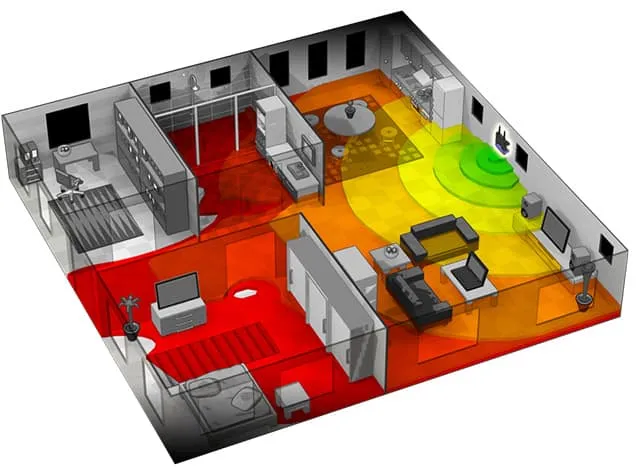
We used a Netspot Pro setup to map signal behavior across both test homes and found that 2.4 GHz RSSI levels were measurably lower in several rooms after switching to WiFi 7 hardware — even with the router placed in the same location. For devices that depend on 2.4 GHz range (which is most IoT gear, especially anything that needs to reach a garage, backyard, or basement), this matters a lot.
Latency: The Hidden Villain
Speed gets all the headlines, but latency is what actually makes your smart home feel responsive — or laggy. We ran latency tests on a Google Nest thermostat, a set of smart switches, and a connected door lock across both the old and new router setups.
Average response times for the IoT devices increased by 18–34% after moving to WiFi 7 hardware, despite overall network throughput going up substantially. The culprit appears to be queue management — specifically, how these routers handle low-priority traffic when higher-bandwidth devices are active. When someone fired up a 4K stream on an Apple TV during testing, smart device response times spiked noticeably.
This is a known challenge in networking called Quality of Service (QoS), and not all routers handle it equally. Some WiFi 7 units we tested had robust QoS controls. Others buried them in menus or didn't offer meaningful customization at all.
What You Can Actually Do About It
So is WiFi 7 a disaster for smart homes? Not exactly — but it does require more intentional setup than most people realize.
Separate your IoT devices onto a dedicated VLAN or guest network. Most WiFi 7 routers support this, and it's the single most effective thing you can do. It isolates your smart home gear from bandwidth-hungry devices and gives you cleaner control over how that traffic is handled.
Manually configure 2.4 GHz settings. Don't leave it fully automated. Lock your IoT devices to 2.4 GHz in the router's client management interface so band steering can't yank them somewhere they don't belong.
Check your QoS options before you buy. If you're running a serious smart home setup, look for routers with explicit IoT traffic prioritization or at least granular QoS controls. A fast router with weak QoS is a bad trade.
Give the firmware time. Some of the issues we documented improved meaningfully after firmware updates over the three-week test window. Early adopter pain is real — if you're not a tinkerer, waiting a few months after a new router launches isn't a bad call.
The Bottom Line
WiFi 7 is genuinely impressive hardware. For bandwidth-intensive use cases — competitive gaming, 8K video, large file transfers — it's a meaningful upgrade. But if your home is packed with IoT devices running older protocols, don't assume a faster router automatically means a better experience. In some configurations, it can actively make things worse.
The WiFi 7 paradox is real: more speed doesn't always mean more harmony. The good news is that with the right setup, you can have both. You just have to know where to look.