Still Rocking WiFi 6E? Here's the Honest Truth About Whether WiFi 7 Is Worth Your Money
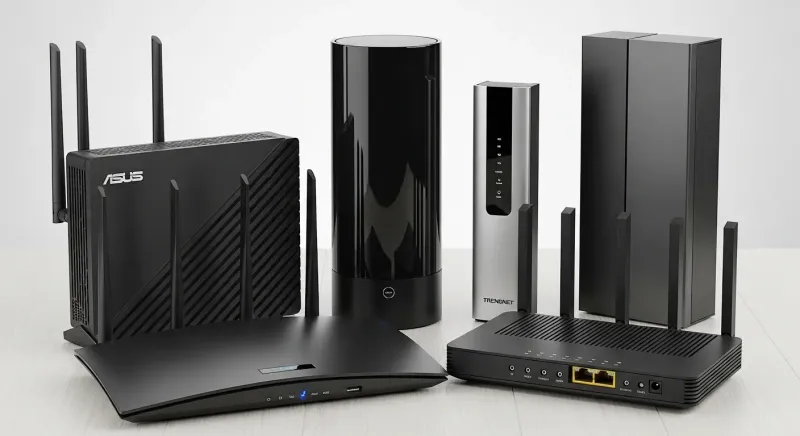
Photo: wifi router comparison modern home technology setup, via wifitech.ae
Let's be real for a second. Every time a new WiFi standard drops, the internet loses its collective mind. Benchmarks get posted, YouTubers do dramatic speed tests in empty rooms, and suddenly everyone feels like their perfectly good router belongs in a landfill. We've seen this cycle play out with WiFi 5, WiFi 6, and WiFi 6E. Now it's WiFi 7's turn.
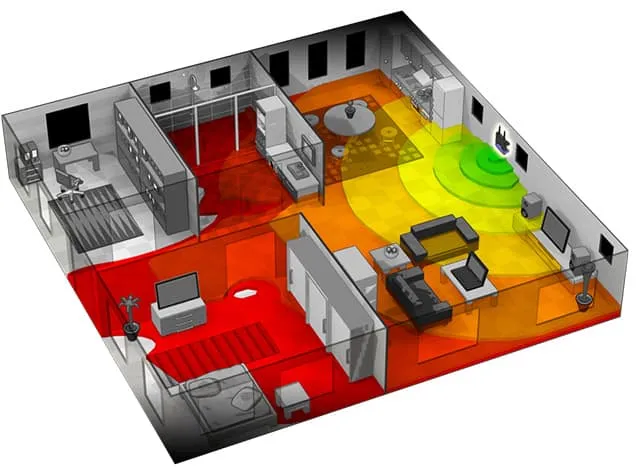
But here at WiFi Shootout, we don't do hype. We do heat maps, real homes, and honest numbers. So we spent several weeks putting WiFi 6E and WiFi 7 routers through their paces in actual US households — not server rooms, not lab environments — to answer the question most reviewers are afraid to ask: should you actually upgrade?
Spoiler: for most people, probably not yet. But the full story is a lot more interesting than that.
What WiFi 7 Actually Brings to the Table
Before we get into the results, a quick rundown of what makes WiFi 7 (802.11be) different. The headline feature is Multi-Link Operation (MLO), which lets a device connect to multiple frequency bands simultaneously — 2.4 GHz, 5 GHz, and 6 GHz all at once. Think of it like lane-merging on a highway instead of picking just one lane.
WiFi 7 also bumps maximum channel width to 320 MHz (double WiFi 6E's 160 MHz cap) and introduces 4K-QAM modulation, squeezing more data into every transmission. On paper, theoretical speeds can hit 46 Gbps. In practice? Well, that's where things get complicated.
WiFi 6E, for context, already gave us access to the uncrowded 6 GHz band, which was a genuine game-changer in dense apartment buildings and suburbs packed with competing networks. It's not a slouch by any stretch.
Our Testing Setup
We tested three WiFi 6E routers (ranging from $200 to $450) against three WiFi 7 routers ($350 to $700) across four different home types: a 900-square-foot apartment in Chicago, a 2,400-square-foot single-story ranch in suburban Texas, a 3,200-square-foot two-story colonial in New Jersey, and a 1,800-square-foot 1960s brick home in Georgia.
Devices on the network ranged from 8 to 23 simultaneously connected gadgets — laptops, phones, smart TVs, security cameras, smart speakers, and the occasional game console. We measured latency, throughput at various distances, and how gracefully each router handled congestion when multiple devices hammered the network at once.
All client devices were WiFi 6E-capable. We didn't have WiFi 7 client devices for most tests, which is a critical point we'll come back to.
The Results That Surprised Us
In the apartment and ranch house, WiFi 6E held its own completely. The performance gap between the two standards was statistically negligible for everyday tasks — 4K streaming, video calls, gaming, and general browsing. The WiFi 6E routers delivered median latency of 4–7ms and sustained throughput that never left anyone waiting on a loading screen.
The WiFi 7 routers were faster in raw throughput tests — no question. But when you're already getting 600–800 Mbps to your laptop and your internet plan tops out at 500 Mbps, faster hardware doesn't make Netflix load any quicker. You're bottlenecked by your ISP, not your router.
The two-story colonial told a more nuanced story. With walls, a staircase, and a garage throwing obstacles into the mix, the WiFi 7 router's MLO feature showed its first real-world benefit. Devices on the fringe of coverage — a home office above the garage, a basement TV — saw 15–22% better sustained speeds compared to the best WiFi 6E setup we tested. That's real, but it's not the 4x improvement the spec sheets imply.
The brick house was the most revealing test of all. Older construction materials hammered both standards equally at range. Neither WiFi 6E nor WiFi 7 magically penetrated 8-inch brick walls any better than the other. For homes like this, a mesh system — regardless of standard — is a more impactful upgrade than chasing the latest spec.
The Client Device Problem Nobody Talks About
Here's the dirty secret of the WiFi 7 rollout: your devices probably don't support it yet. As of now, WiFi 7 client support is limited to a handful of flagship phones (some Samsung Galaxy S24 models, select Qualcomm-powered laptops) and not much else. Your MacBook? WiFi 6E. Your iPad? WiFi 6. Your smart thermostat? Probably WiFi 5.
MLO — the killer feature of WiFi 7 — only works when both the router AND the client device support it. Without compatible clients, a WiFi 7 router behaves essentially like a very expensive WiFi 6E router. You're paying a $200–$300 premium for future-proofing, not present-day performance.
That's not inherently wrong. But you should go in with eyes open.
So When Does WiFi 7 Actually Make Sense?
We're not here to tell you WiFi 7 is vaporware — it's not. There are specific situations where the upgrade math actually works out:
You're a content creator or remote worker moving large files constantly. If you're regularly transferring multi-gigabyte video files between a NAS and a WiFi 7 laptop, the throughput gains are tangible and time-saving.
You run a dense smart home with 30+ devices. WiFi 7's improved multi-device handling and reduced congestion are measurable when you've got a truly loaded network. At 10–15 devices, you won't feel it. At 40+, you might.
You're building a home theater setup with uncompressed 8K video. Yes, this is a niche use case. But if you're in it, WiFi 7 is the only wireless standard that can reliably handle those bandwidth requirements without a dedicated wired run.
You're buying a router you plan to keep for 6–8 years. In that case, the premium for WiFi 7 starts looking like a reasonable hedge as client devices catch up over the next few years.
The Bottom Line for Most US Households
If you've already got a solid WiFi 6E setup, there is no compelling reason to upgrade today. The real-world gap is too small to justify the cost for typical streaming, gaming, and work-from-home use cases. WiFi 6E is still the sweet spot — mature technology, wide device compatibility, competitive pricing, and more than enough headroom for most American households.
If you're buying a brand-new router and your budget stretches to $400+, a mid-range WiFi 7 router isn't a bad call as a long-term investment. Just don't expect to feel the difference on day one.
The upgrade clock on WiFi 7 starts ticking in earnest when WiFi 7 client devices hit mainstream price points — probably 2025 to 2026. Until then, keep your wallet holstered and your WiFi 6E router running. It's got plenty of life left.
Have a router you want us to put through the wringer? Drop your suggestions in the comments or hit us up on social. We test what you want tested.