Cheap vs. Expensive Routers in the Same Apartment: We Ran the Numbers So You Don't Have To
Photo: DataRemote, CC BY-SA 4.0, via Wikimedia Commons
There's a version of this article that ends with "just buy the expensive one." This is not that article.
We spent a week running four routers through the same battery of tests in the same 900-square-foot, two-bedroom apartment in a dense urban building — the kind where your WiFi scanner shows 30+ neighboring networks and your neighbor's microwave might as well be in your kitchen. The goal was simple: figure out exactly where the price curve bends, and whether the jump from budget to premium actually shows up in daily life or just in spec sheets.
Spoiler: the answer is genuinely complicated, and it depends a lot on how you use your network.
The Lineup
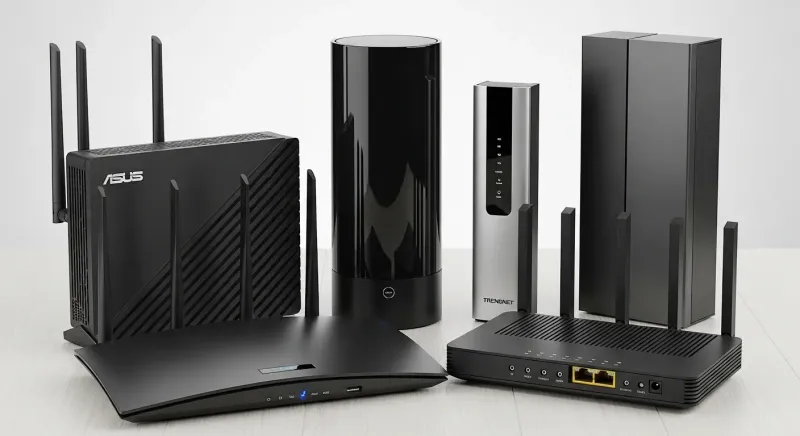
We tested four routers across distinct price tiers:
- TP-Link Archer AX21 — ~$55 (budget WiFi 6)
- ASUS RT-AX86U Pro — ~$180 (mid-range WiFi 6)
- TP-Link Archer BE550 — ~$230 (entry WiFi 7)
- ASUS ZenWiFi Pro ET12 — ~$420 (premium WiFi 6E mesh, single node used for apples-to-apples comparison)
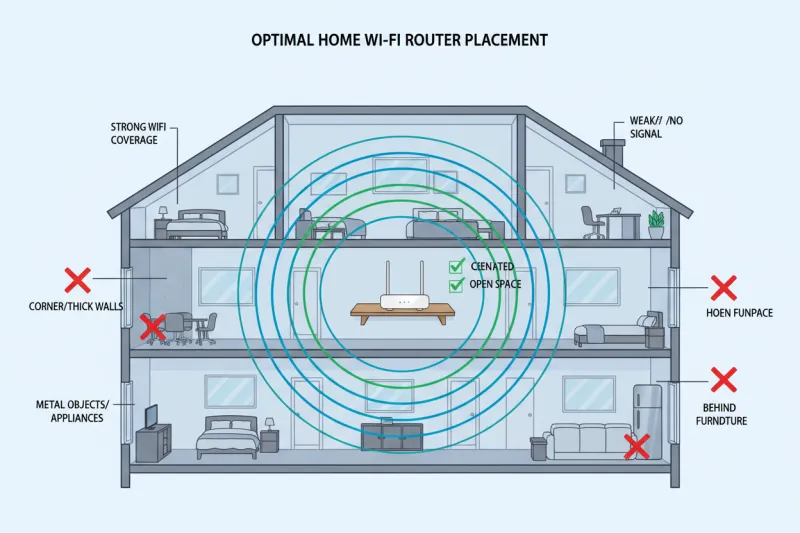
All routers were placed in the same central location — a bookshelf in the living room, roughly 4 feet off the ground, clear of obstructions on the front face. Same ISP connection (500Mbps fiber plan) throughout. Same test devices: a MacBook Pro with WiFi 6E support, an iPhone 14, and a Fire TV Stick 4K.
What We Tested and How
For each router, we ran tests in three zones:
- Zone A: Same room as the router, about 8 feet away
- Zone B: Adjacent bedroom, through one interior wall, roughly 25 feet
- Zone C: Far bedroom and bathroom hallway, through two walls, roughly 45 feet
Metrics we tracked: local throughput via iPerf3, internet speed via Speedtest.net, latency to a local server, connection stability over a 30-minute streaming session, and reconnection time after a simulated dropout. We also stress-tested each router with 22 simultaneous connected devices — smart home gear, phones, tablets, laptops — to see how each one handled a realistically loaded network.
Zone A Results: Close Range
This is where the expensive routers flex hardest, and it showed. The ZenWiFi Pro and the BE550 both cleared 900Mbps of local throughput on the MacBook in Zone A, with the BE550 occasionally nudging past 1.1Gbps thanks to WiFi 7's MLO capability. The ASUS RT-AX86U Pro came in around 720Mbps — solid. The budget AX21 topped out around 480Mbps.
For internet speed tests, though? All four routers maxed out our 500Mbps fiber plan without breaking a sweat. Every single one. If your ISP plan is 500Mbps or below — which covers the majority of US households — you will not feel a difference between these routers in Zone A for everyday browsing, streaming, or video calls.
Zone B Results: One Wall, Normal Use
Here's where things started to get interesting. The budget AX21 dropped to around 180Mbps of local throughput through the wall — noticeable, but still more than enough for 4K streaming (which needs about 25Mbps). The mid-range RT-AX86U Pro held closer to 400Mbps. The two premium options stayed above 500Mbps.
Latency told a slightly different story. Under the 22-device load test, the AX21's ping to our local server climbed from about 3ms to a peak of 47ms. That's the kind of jitter that makes online gaming feel laggy and video calls occasionally choppy. The RT-AX86U Pro peaked at 18ms under the same load. The premium routers barely moved — staying under 8ms throughout.
If you work from home and take a lot of video calls, or if anyone in your household games seriously, that latency difference is real and you will feel it.
Zone C Results: The Far Corner
This is where budget hardware tends to fall apart, and the AX21 didn't disappoint in the worst way. Throughput dropped to around 60–80Mbps at 45 feet through two walls, with occasional disconnects during the streaming stability test. YouTube and Netflix still worked fine, but it wasn't pretty.
The mid-range RT-AX86U Pro fared better at around 200Mbps, with no drops during the streaming test. The premium units stayed above 350Mbps and were rock solid.
For a two-bedroom apartment, the far corner is still within the same unit — this matters. If you're trying to cover a larger place, a budget single router is going to leave dead zones. A mesh system or a mid-range router with a dedicated access point would be a better call.
The 22-Device Stress Test: Where Budget Really Struggles
This was the most revealing part of the whole test. Modern households average somewhere around 25 connected devices when you count everything — TVs, smart speakers, thermostats, phones, tablets, laptops, game consoles. We loaded up 22 devices and then started actively using four of them simultaneously: two streaming 4K video, one on a video call, one gaming.
The AX21 started dropping packets and struggling to maintain consistent speeds within about 10 minutes. Buffering appeared on one of the 4K streams. The video call got choppy. It wasn't unusable, but it was noticeably degraded.
The RT-AX86U Pro handled it without complaint. So did the premium options. The jump from budget to mid-range was the biggest single improvement we saw in this test — and it came at a price difference of about $125.
So What Does Premium Actually Buy You?
After a week of testing, here's our honest breakdown of where the money goes:
Worth paying for:
- Better performance under load (lots of simultaneous devices)
- Lower latency consistency, especially when the network is busy
- More reliable coverage at range in dense environments
- Better QoS controls and app management if you care about that stuff
Not worth paying for (for most people):
- Raw speed improvements if your ISP plan is under 500Mbps
- WiFi 7 features if none of your current devices support it
- Multi-gig WAN ports if your internet connection tops out at 1Gbps
The Verdict: The $180 Sweet Spot
If we had to make a single recommendation for the average American household — two to three bedrooms, 15–30 connected devices, a mix of streaming, working from home, and casual gaming — the mid-range tier around $150–$200 is where the value curve peaks.
You get dramatically better performance under load compared to budget options, coverage that handles a realistic apartment or small house, and features that matter day-to-day. The jump from $180 to $420 bought us incrementally better specs but very little difference in actual daily experience.
The $55 budget router? It's fine for a single person in a small space with light usage. But the moment you add a roommate, a smart TV, a video call habit, and a few smart home gadgets, you're going to start noticing its limits.
Buy smart. Test your own setup. And don't let a price tag convince you that you need more router than your home actually requires.