30 Days of WiFi 7 vs. Cat6A Ethernet in One Real House: Here's Which Devices Actually Need a Cable
There's a pitch that gets made every time a new WiFi generation drops, and WiFi 7 is no different. The idea goes something like this: wireless is finally good enough that you can rip out your ethernet runs, patch the walls, and never think about cables again. Router manufacturers love this story. It sells hardware.
We wanted to know if it was actually true.
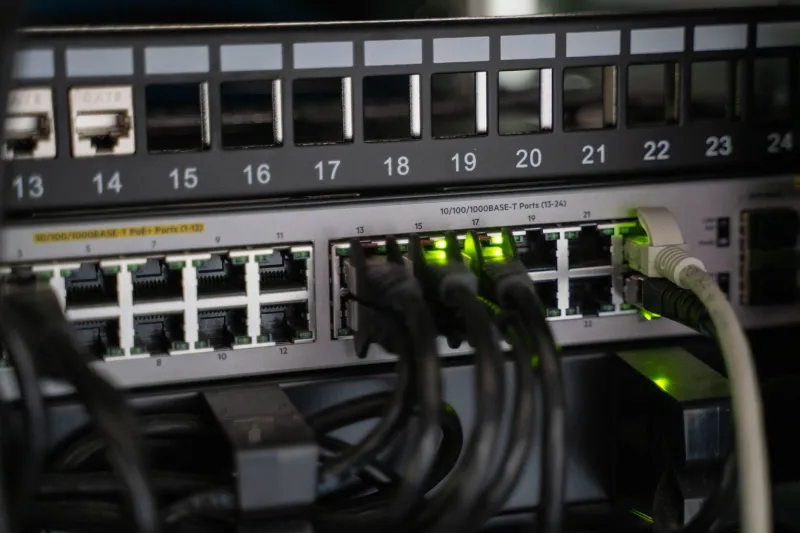
So we set up a controlled comparison inside a real 2,400-square-foot single-family home in the suburbs of Nashville, Tennessee. One WiFi 7 router — a mid-to-high-end tri-band unit running the 6 GHz band as its primary highway — paired against a properly terminated Cat6A gigabit ethernet run feeding a managed switch. Same ISP. Same 1 Gbps symmetrical fiber connection. Same devices. Thirty days of real usage across work, gaming, and streaming scenarios.
Here's what we actually found.
What We Were Measuring (and Why It Matters)
Raw speed is the stat that gets screamed from the box, but it's also the least useful number for most people. Your 4K Netflix stream doesn't need 800 Mbps. Your video call doesn't need 500 Mbps. What both of those things do need is consistency — low jitter, predictable latency, and a connection that doesn't hiccup when your neighbor's microwave kicks on.
So we tracked three things over the 30-day window:
- Latency and jitter — measured in milliseconds, averaged across hundreds of hourly samples
- Throughput consistency — how close to peak speed each connection stayed during real usage hours (not 2 a.m. when nobody's home)
- Scenario performance — how each connection actually handled work calls, competitive gaming, and 4K streaming simultaneously
We also tracked packet loss, which is rare but devastating when it happens.
The Latency Gap Is Smaller Than You Think — In the Right Conditions
This was the result that genuinely surprised us. In ideal conditions — device sitting in the same room as the router, 6 GHz band with no interference, light network load — the WiFi 7 connection posted average latency numbers of around 3–5 ms to our test server. The Cat6A ethernet run came in at 1–2 ms on the same server.
That's a real gap, but it's not a meaningful gap for most use cases. Streaming video, casual web browsing, video calls — none of that is going to feel different at 3 ms versus 1 ms. You'd need a stopwatch calibrated to the millisecond to notice.
But here's where it gets complicated: those are ideal conditions. Move two rooms away, add a dozen smart home devices to the network, fire up a gaming session, and start a 4K stream on the TV — and that WiFi 7 latency number starts climbing. We saw it spike to 18–22 ms under heavy concurrent load in the back bedroom, which is two walls and about 40 feet from the router. Ethernet stayed flat at 1–2 ms the entire time.
Consistency is where the cable wins. Not raw performance.
Gaming: The One Place the Cable Still Earns Its Keep
We logged roughly 80 hours of multiplayer gaming across the 30-day period — a mix of first-person shooters, a battle royale title, and one competitive fighting game. All tested on the same desktop PC, once via WiFi 7 on the 6 GHz band and once via direct Cat6A connection.
The average latency difference was modest. But the variance told a different story.
On ethernet, our ping to game servers stayed within a 2–3 ms window for extended sessions. On WiFi 7, it was smooth most of the time — but we'd see occasional spikes to 15–30 ms that lasted a second or two before settling back down. In a casual game, you'd barely notice. In a ranked competitive match, those spikes are the difference between landing a shot and missing it entirely.
For serious PC gamers, the cable still makes sense. Not because WiFi 7 is bad — it's genuinely impressive — but because predictability matters more than average performance when you're competing.
Streaming and Video Calls: WiFi 7 Is Legitimately Good Enough
This is where the "ethernet is dead" crowd has the strongest argument, and we'll give it to them.
For 4K HDR streaming on a smart TV, a laptop, or a tablet, WiFi 7 on the 6 GHz band was effectively indistinguishable from ethernet in our testing. Zero buffering events on either connection across the full 30 days. Zero quality drops. The TV doesn't know the difference, and neither does the person watching it.
Video calls — Zoom, Google Meet, Teams — told the same story. We ran back-to-back calls on both connections and had colleagues on the other end try to identify which was which. They couldn't. Call quality, video resolution, and audio stability were equivalent.
If your primary use case is media consumption and remote work video calls, and your router is reasonably close to your device, WiFi 7 is genuinely there. You don't need to run cable for those scenarios.
The Devices That Still Benefit From a Wired Connection
Based on 30 days of data, here's our honest shortlist of what still benefits from a physical cable:
Desktop gaming PCs — if you're playing competitively, the consistency advantage is real and worth the effort of running a cable.
Network-attached storage (NAS) — large file transfers between a NAS and your devices will be meaningfully faster and more reliable over ethernet. WiFi 7 speeds are impressive, but sustained throughput for big transfers still favors wired.
Security cameras with local recording — continuous upload streams benefit from the rock-solid reliability of ethernet. WiFi dropouts are rare with WiFi 7, but they happen, and a missed recording window is hard to explain to your insurance company.
Your main TV if it supports ethernet — not because WiFi 7 can't handle it, but because a wired smart TV eliminates one variable from an already complicated home network.
Everything else? Phones, tablets, laptops used for work, smart speakers, smart home hubs — WiFi 7 handles all of it without breaking a sweat.
The Honest Verdict
WiFi 7 didn't make ethernet obsolete. But it made ethernet optional for a much larger chunk of what most households actually do.
The cable still wins on consistency, and consistency still matters for specific use cases. Competitive gaming, large local file transfers, and always-on recording devices are the clearest cases where running a Cat6A line is worth the effort and cost.
For everything else — and for the majority of devices in the majority of American homes — WiFi 7 on the 6 GHz band is fast enough, consistent enough, and reliable enough that you can put the cable stapler away.
The marketing isn't entirely lying. It's just leaving out the asterisks. And now you know where they go.