Top Floor, Bottom Floor, or Right in the Middle: We Tested One Router in All Three to See Where It Actually Belongs

Ask ten people where to put a router and nine of them will tell you "center of the house" or "away from the microwave." Fair enough. But almost every piece of advice out there assumes you're working on a single floor. The moment you add a second or third story to the equation — or you're dealing with a finished basement — the conversation gets a lot more complicated.
We wanted to find out whether vertical placement actually matters. Not in theory. Not based on antenna diagrams. In a real, three-story American home with real walls, real furniture, and real interference.
So we grabbed one mid-range WiFi 6E router and moved it to three locations: the basement, the attic space (converted into a small office), and the middle floor. Same router. Same settings. Same house. We ran throughput tests, mapped signal strength on every floor, and hunted for dead zones at each position. Here's what the data actually showed.
The Setup
The house we used is a three-story colonial in the Midwest — pretty typical for a lot of American homes. Finished basement with a concrete slab floor, a main living level in the middle, and a top floor with bedrooms plus a small converted attic office. Total square footage is around 2,400, spread across those three levels.
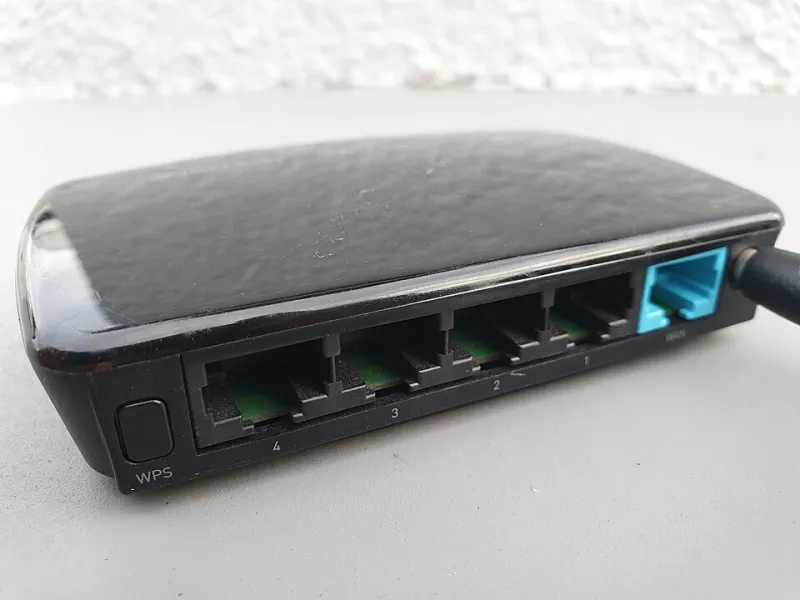
We used a single TP-Link Archer AXE75 for all three test positions. Each position got a full 48-hour settling period before we started collecting data, just to let the router stabilize and clear out any cached weirdness. We measured signal strength (RSSI) at 12 fixed points throughout the house and ran iPerf3 throughput tests from each point at the same time of day to keep conditions consistent.
No mesh nodes. No extenders. Just the router, doing its best.
Basement Placement: The Underdog Nobody Roots For
Let's start at the bottom. The basement position was in the center of the finished lower level — about as good a spot as you can get down there. The router sat on a shelf roughly 18 inches off the concrete floor.
First observation: the basement floor itself was excellent. Obviously. The router was right there, and throughput to devices on the same level was consistently strong — we're talking 400-plus Mbps on the 5 GHz band without breaking a sweat.
The problems showed up the moment we went upstairs. The main living floor directly above was decent — signal punched through the floor joists reasonably well, and throughput held around 280 Mbps at the center of the room. But by the time we reached the far end of the main floor, we were already seeing RSSI drop into the -70s. That's usable, but you're not going to be happy streaming 4K from that corner.
The top floor was rough. The attic office — the farthest point from the basement — averaged -78 dBm, and throughput fell to around 95 Mbps on a good run. The bedrooms on the top floor were a mixed bag depending on their position relative to the stairwell, which acts as a bit of a signal highway between floors.
Bottom line for basement placement: great for basement dwellers, increasingly painful for everyone living above them.
Attic Placement: High Hopes, Mixed Results
Conventional wisdom says WiFi signals spread outward and downward from a router, which makes a high placement sound logical. We tested it. Reality was more complicated.
With the router in the attic office at the top of the house, the top floor was — predictably — excellent. Strong signal everywhere up there, and throughput stayed above 350 Mbps in every room we tested. The attic office itself was nearly perfect.
The main floor told a different story. Downward propagation through the ceiling/floor assembly was noticeably weaker than we expected. The center of the main living area averaged around 260 Mbps, but the far end of the house dropped hard — we saw throughput dip below 150 Mbps in the living room corner farthest from the stairwell. That's not a disaster, but it's a real step down from what you'd hope for.
The basement was the real casualty. Signal had to travel through three material layers — attic floor, main floor joists, and then into the basement — and it showed. RSSI in the basement averaged -81 dBm, and throughput was borderline miserable at around 70 Mbps. If anyone in your house actually uses the basement regularly, attic placement is going to frustrate them.
High placement also introduced one unexpected issue: interference. The attic space had HVAC ductwork running through it, and we picked up noticeably more channel congestion on the 5 GHz band up there. Not a dealbreaker, but worth mentioning.
Middle Floor Placement: Boring Wins Again
Yeah, the middle floor won. We know that's not the dramatic reveal anyone was hoping for, but the data is the data.
With the router placed centrally on the main living floor — on a bookshelf about four feet off the ground, away from exterior walls — coverage was the most consistent of the three positions by a meaningful margin.
The basement averaged -65 dBm from the center of the lower level, with throughput holding around 220 Mbps. Solid. The top floor came in around -68 dBm on average, with throughput between 200 and 280 Mbps depending on the room. The main floor itself was the strongest, as you'd expect, with throughput regularly hitting 400+ Mbps near the router and staying above 300 Mbps across most of the level.
Dead zones were the smallest of any configuration. We found one weak spot — a bathroom tucked behind a load-bearing wall on the top floor — but that same spot was weak in every test, so we can't really blame the placement.
What the Numbers Are Actually Telling You
Here's the honest takeaway: vertical placement matters a lot more than most people realize, and the math isn't complicated once you see it.
Signal has to travel through floors, not just walls. Floor and ceiling assemblies — joists, subfloor, drywall, insulation — absorb and scatter WiFi signal significantly. Every floor you add between the router and a device is a penalty. Placing the router at an extreme (top or bottom) means some devices are always paying multiple floor penalties simultaneously.
Middle placement minimizes the maximum distance any device has to travel through floor material. It's not glamorous advice, but it's what the signal maps confirmed across three separate test configurations.
If you genuinely can't put the router on the middle floor — say, your ISP's coax connection only comes into the basement — a mesh node on the main floor will do far more for your whole-home coverage than any amount of router repositioning within the basement.
The Part Nobody Wants to Hear
One router probably isn't enough for a three-story home. We know, we know. But even in the best-case scenario (middle floor placement), the far corners of the top and bottom floors were getting coverage that most people would describe as "acceptable" rather than "good."
If you're in a multi-story home and you're relying on a single router to cover everything, you're already making compromises. The goal of this test wasn't to find the magic placement that eliminates that problem — it was to find the placement that makes the compromises as small as possible.
Middle floor, center of the house, a few feet off the ground. It's not exciting. But after 48 hours of testing per position and hundreds of individual data points, it's what the shootout actually showed.
Save the basement and attic placements for secondary nodes. Your signal maps will thank you.