4,000 Square Feet, Zero Planning, Three Budget Mesh Systems, and One Premium Router: Which Setup Survived the Chaos?
Here's a scenario that plays out in American homes every single week: someone buys a router or mesh system, plugs it in wherever the cable outlet happens to be, and calls it a day. No coverage maps. No node placement science. No YouTube rabbit holes. Just vibes.
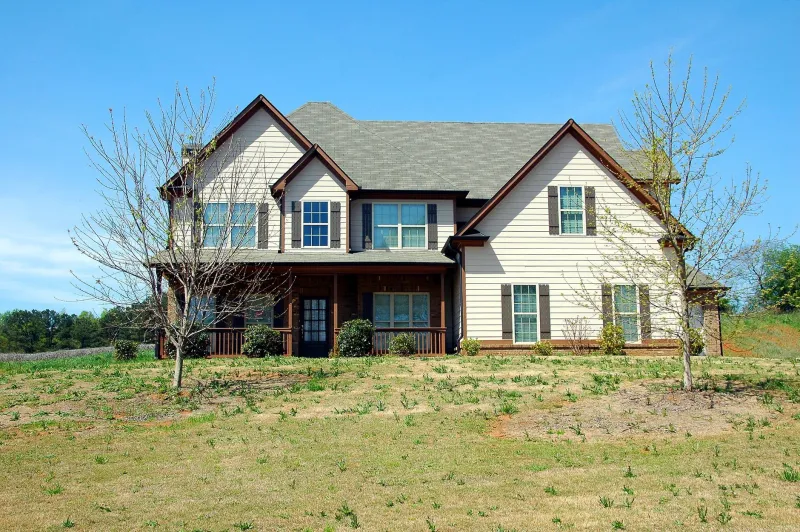
We wanted to know what actually happens when you do that in a genuinely large home — specifically a 4,000 sq ft two-story house in suburban Ohio with a detached garage, a finished basement, and the kind of floor plan that was clearly designed by someone who had never heard the word "WiFi." We tested three budget mesh systems (all priced under $200 at time of testing) against one premium single router sitting at $350, and we gave every single setup the worst possible start: zero planning.
The Setup (or Lack Thereof)
For the budget mesh systems, we placed the primary node wherever the ISP's coax outlet was — a closet near the front door on the main floor. Secondary nodes went wherever there was a free outlet that seemed "about right." Nobody measured distances. Nobody thought about walls. One node ended up inside a cabinet because that's where the only available outlet was in the living room.
The premium single router got the same treatment. Closet near the front door. Done.
We ran each configuration for five full days before pulling numbers, giving devices time to settle and clients time to roam naturally. Our test devices included laptops, phones, a 4K streaming TV, two smart displays, a gaming console, and a handful of smart home sensors — 22 devices total across the house.
Speed: Where the Gap Showed Up Immediately
The premium single router was predictably strong within about 1,200 sq ft of its location. Speeds on the main floor near the front of the house were genuinely impressive — we were regularly hitting 650–700 Mbps down on a gigabit plan. But walk toward the back of the house, head upstairs, or god forbid try to work in the detached garage, and the story changed fast. By the time we reached the far back bedroom on the second floor, we were averaging 38 Mbps. The garage was basically decorative WiFi — technically connected, functionally useless at 11 Mbps.
The budget mesh systems told a messier story. The best performer of the three managed decent coverage across most of the main floor and about 60% of the second floor, but the node-in-a-cabinet situation created a weird dead zone directly above it that made no sense until we thought about the metal cabinet acting as a partial Faraday cage. Lesson learned the hard way.
The worst budget mesh system of the bunch had serious handoff problems. Walking from the kitchen to the back bedroom while on a video call dropped the call twice in a single afternoon — the phone was clinging to the primary node long after it should have handed off to the closer secondary node. That's a software problem, and no amount of hardware spending fixes it at the budget tier.
Dead Zones: The Basement and Garage Problem
Every single setup failed the detached garage. There's no getting around physics — a detached structure with no node inside it is just not getting covered by anything we tested, premium or budget. If your garage matters to you, budget for a dedicated outdoor access point. Full stop.
The basement was more interesting. Two of the three mesh systems had a node close enough to the basement stairs that coverage bled down reasonably well — we were getting 90–120 Mbps at the bottom of the stairs, which is workable. The third budget system and the premium single router both delivered sub-20 Mbps in the basement, which makes that space essentially useless for anything beyond casual browsing.
Device Handoff: The Metric Nobody Talks About Enough
This is where budget mesh systems really separated from each other. Seamless roaming — where your phone or laptop switches between nodes without you noticing — is supposed to be the whole point of mesh. But it's also the feature that varies wildly between manufacturers at the sub-$200 price point.
One of our budget systems handled handoff almost invisibly. Video streams didn't stutter. Video calls stayed connected. Walking a full lap around the house while on a Teams call worked without incident. That system earned its price tag.
The other two? One dropped connections during handoff about 30% of the time in our testing. The other just... didn't hand off. It let devices stay connected to a distant node with a weak signal rather than forcing a switch to a closer one. That's the kind of behavior that makes people think their internet is slow when really their router is just being stubborn.
What the Premium Router Actually Buys You
If your house is under 2,500 sq ft and reasonably open, the premium single router would have crushed this test. The hardware is genuinely excellent — signal strength, throughput, and device management were all class-leading in the areas it could actually reach. The problem is that a single router in a closet near the front door of a 4,000 sq ft house is like buying a sports car to drive through a corn maze. The capability is there. The application is wrong.
The premium router's app also gave us better diagnostics than any of the budget systems. When something went wrong, we knew about it faster and had more information to work with. That matters if you're the type of person who actually pays attention to their network.
The Honest Verdict
For a 4,000 sq ft home with zero planning, the best budget mesh system we tested outperformed the premium single router for overall household coverage — but only barely, and only because mesh topology is fundamentally better suited to large spaces than a single radio source.
Here's the uncomfortable truth this test revealed: the quality gap between budget mesh systems is bigger than the gap between the best budget mesh and the premium single router. Picking the wrong budget mesh system costs you more in dead zones and dropped connections than spending up to the premium tier would.
If you're going to ignore the coverage maps and wing it — and let's be honest, most people do — your best bet is a mid-tier mesh system from a brand with a proven roaming algorithm. The cheapest option on the shelf is a gamble, and in a big house, you're the one who loses.