5G Home Internet vs. WiFi 7 Router: The Trade-Off Nobody in the Marketing Department Wants You to Know
Walk into any Best Buy right now and you'll find two very different sales pitches running simultaneously. Over in the router aisle, the boxes are screaming about WiFi 7 and multi-gigabit speeds. A few feet away, a carrier kiosk is telling you to ditch your cable company entirely and go fixed 5G. Both pitches sound compelling. Both have fine print that'll sting you later.
We spent several weeks testing flagship WiFi 7 routers paired with traditional cable broadband against fixed 5G home internet setups — specifically T-Mobile Home Internet and Verizon's 5G Home Plus — across four real households in different parts of the country. No lab. No cherry-picked conditions. Just actual families doing actual things.
Here's what we found.
First, Let's Get the Setup Straight
This comparison isn't WiFi 7 versus 5G. That framing is wrong from the start, and it's worth clarifying before we go further. WiFi 7 is a wireless protocol — it governs how devices connect to your router inside your home. Fixed 5G home internet is a broadband delivery method — it's how internet traffic gets to your house in the first place.
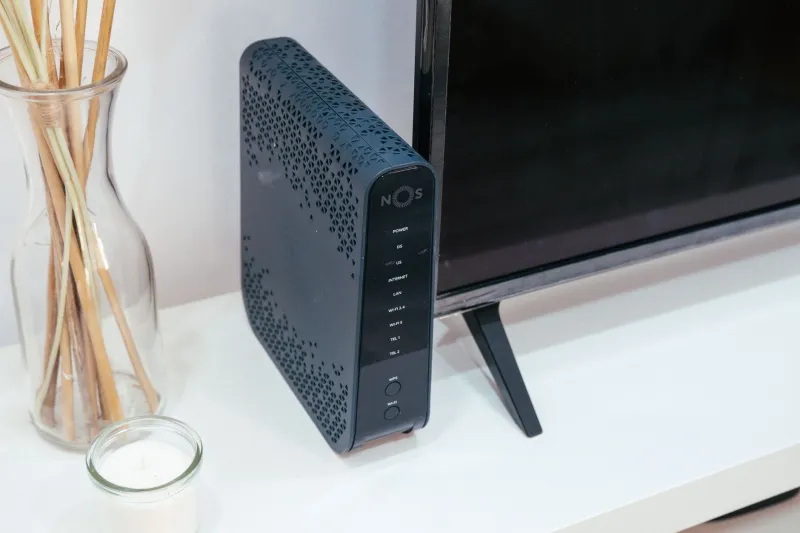
In practice, what you're really comparing is this: a traditional cable or fiber connection feeding a top-tier WiFi 7 router versus a 5G gateway device (which includes its own built-in WiFi, usually WiFi 6 or 6E) that replaces your ISP entirely.
That distinction matters a lot. Because when 5G home internet underperforms, it's almost never the WiFi inside your house that's the problem.
Raw Speed: Cable + WiFi 7 Wins on Paper, But Not Always in Practice
Across our test households, the cable-plus-WiFi-7 setups posted higher peak download speeds in every single case. We're talking 800–1,100 Mbps on cable versus 200–450 Mbps on T-Mobile's fixed 5G and 300–600 Mbps on Verizon's. If you're paying for gigabit service and running a capable WiFi 7 router, the ceiling is genuinely higher.
But here's where it gets interesting: during actual use, that ceiling rarely matters.
Streaming 4K on three TVs simultaneously? Both setups handled it without a hiccup. Video calls on Zoom and Teams? Identical experience in most rooms. Downloading a 50GB game on a PS5? The 5G household finished maybe four to six minutes later. For the majority of everyday tasks, the raw speed gap didn't translate into a noticeable quality-of-life difference.
The exception was households with heavy simultaneous upload demand — think a content creator uploading large video files while someone else is on a video call. Upload speeds on fixed 5G lagged noticeably, sometimes dipping below 20 Mbps during peak evening hours. Cable held steadier.
Latency: The Number That Actually Separates Them
This is where the shootout got genuinely revealing. We ran latency tests throughout the day — morning, midday, evening, and late night — across all four households.
The cable-plus-WiFi-7 setups averaged 8–14ms latency to common game servers. Consistent. Predictable. The kind of numbers competitive gamers care about.
Fixed 5G? More complicated. During off-peak hours, T-Mobile's gateway posted surprisingly decent numbers — 25–35ms in two of our test homes. Totally playable for casual gaming. But between 7 and 10 PM on weeknights, we watched those numbers climb to 55–90ms in one suburban household. The tower was congested, and there was nothing the homeowner could do about it.
Verizon's 5G Home Plus performed better on latency consistency, but it's also only available in select dense urban and suburban markets. If you're in a coverage sweet spot, it's a legitimate option for gaming. If you're not, the variability will drive you up a wall.
Multi-Device Handling: WiFi 7's Real Advantage Shows Up Here
One of the households we tested had 34 connected devices — smart TVs, tablets, phones, thermostats, security cameras, a couple of laptops, and a teenager who treats bandwidth like a personal resource. This is where the WiFi 7 router setup pulled meaningfully ahead.
The 5G gateways from both T-Mobile and Verizon use competent WiFi 6 hardware, but they're not designed to be high-performance routers. They're designed to be convenient all-in-one boxes. Under heavy multi-device load, we saw the T-Mobile gateway start dropping weaker-signal devices off the 5GHz band — something the dedicated WiFi 7 router handled gracefully thanks to its multi-link operation capabilities.
If your home has fewer than 15–20 devices and nobody's doing anything particularly demanding, the gateway's built-in WiFi is fine. Cross that threshold, and you'll start feeling the difference.
The Cost Conversation Nobody Has Upfront
Here's the trade-off that the marketing absolutely does not want to lead with: fixed 5G home internet is often significantly cheaper than cable or fiber, but you're giving up control.
T-Mobile Home Internet runs around $50/month for most customers, no contracts, no equipment fees. Verizon's 5G Home Plus is $70/month for existing mobile customers. Compare that to a typical cable gigabit plan at $80–$110/month, plus the cost of a WiFi 7 router — entry-level capable models start around $200, with flagship options running $400–$600.
If you go the cable-plus-WiFi-7 route, you're potentially spending $300–$700 more upfront and $30–$60 more per month. Over two years, that gap is real money.
But — and this is a significant but — you're also getting more consistent performance, better latency floors, higher upload speeds, and a router ecosystem you can actually customize and expand with mesh nodes, VLANs, and advanced QoS settings. The 5G gateways are essentially closed boxes. You work with what they give you.
Who Should Actually Choose What
After weeks of testing, our honest take shakes out like this:
Go cable or fiber plus a WiFi 7 router if: you have more than 20 devices, anyone in your home games competitively or streams at high volume, you work from home with heavy upload needs, or you live in an area where 5G tower congestion is a known issue.
Seriously consider fixed 5G home internet if: you're in an area with strong, consistent 5G coverage, your household has moderate usage patterns, you want to cut your monthly bill meaningfully, or you're renting and don't want to deal with cable company installation appointments.
The overlooked middle option: a handful of our test households ended up running both — using 5G home internet as primary and keeping a cheap cable backup. Dual-WAN routers can automate the failover. It's not for everyone, but for remote workers in areas with occasional cable outages, it's worth knowing the option exists.
The Bottom Line
The marketing around both technologies is doing you a disservice. WiFi 7 router specs are padded with theoretical maximums you'll never hit. Fixed 5G ads gloss over congestion and upload limitations. Neither side is lying exactly — they're just showing you their best day.
What our real-world testing actually revealed is that the right answer depends almost entirely on your specific location, usage habits, and budget tolerance. The technology is secondary to the context you're dropping it into.
That's the trade-off nobody tells you about. And now you know.